
How Tenant Isolation Works in Kestra Enterprise
For the complete documentation index, see llms.txt. For a full content snapshot, see llms-full.txt. Append.mdto anykestra.io/docs/*URL for plain Markdown.
Multi-tenancy allows you to manage multiple environments (e.g., dev, staging, prod) in a single Kestra instance.
Multi-tenancy is a software architecture in which a single instance of software serves multiple tenants. You can think of it as running multiple virtual instances in a single physical instance. You can use multi-tenancy to separate resources between business units, teams, or customers.
This feature requires the Enterprise Edition.
How does multi-tenancy work in Kestra
Every resource in Kestra belongs to exactly one tenant. The following are fully isolated per tenant:
| Resource | Description |
|---|---|
| Flows, triggers, executions | Core workflow resources — the same flow ID and namespace can exist independently in multiple tenants |
| Namespaces | Namespace hierarchy, variables, KV store, namespace files, and task defaults |
| RBAC — roles, users, groups, service accounts | Access control is fully scoped to the tenant |
| Secrets | Secret keys and values are never shared across tenants |
| Policies | Governance rules (injection, validation, enforcement) are scoped to tenant and namespace |
| Worker Queues | Task routing rules are tenant-scoped |
| Audit logs | Activity logs are isolated and queryable per tenant |
| Internal storage | Execution outputs and task data are stored in tenant-specific paths |
Instance-level resources — configuration, license, static policies, and instance owner banners — sit above the tenant layer and require Instance Owner access.
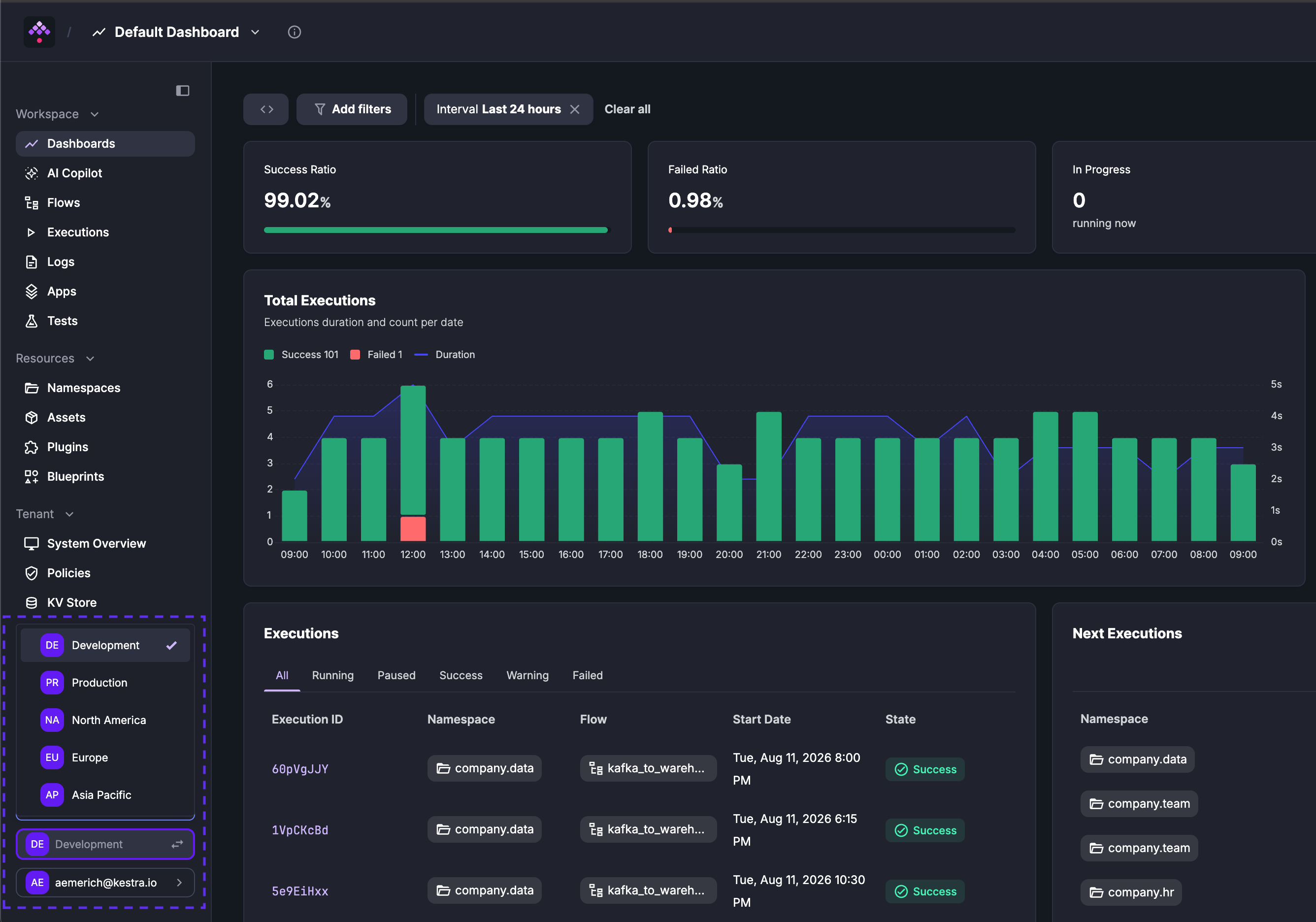
Users switch between tenants using the tenant dropdown in the bottom-left corner of the UI. The dropdown lists every tenant the user has access to; the active tenant is indicated with a checkmark. Each UI page also includes the tenant ID in the URL (e.g., https://demo.kestra.io/ui/yourTenantId/executions/namespace/flow/executionId).
Tenants are created and managed through the Instance Owner console (Instance Owner → Tenants) — only users with the Instance Owner privilege can create, edit, or delete tenants. Users must be granted access to a tenant before they can switch to it. See Tenants for configuration details.
Most API endpoints are scoped to a tenant and include the tenant identifier in the path — for example, /api/v1/{tenant_id}/flows/products to list flows in the products namespace. Instance-level endpoints such as /api/v1/configs or /api/v1/license-info have no tenant segment. See the Enterprise Edition API Guide for the full reference.
Was this page helpful?