
Organize Flows and Executions with Key-Value Labels
For the complete documentation index, see llms.txt. For a full content snapshot, see llms-full.txt. Append.mdto anykestra.io/docs/*URL for plain Markdown.
Labels are key-value pairs attached to flows and executions. Unlike namespaces, which form a fixed hierarchy, labels let you slice execution data across any dimension — team, project, environment, priority — and combine them freely.
A label can be set on the flow definition, on individual execution instances, or both, making it possible to group across flows or distinguish between runs of the same flow.
A flow with two labels:
id: process_invoice_flownamespace: company.team
labels:  team: finance  priority: HIGH
tasks:  - id: hello    type: io.kestra.plugin.core.log.Log    message: hello from a flow with labels
When you execute this flow, executions inherit both team: finance and priority: HIGH labels. You can also define additional labels at execution launch.
Benefits of labels
Labels let you organize and filter flows and their executions. Key benefits include:
-
Observability: Track execution status, monitor errors, and rerun only a subset of executions.
-
Filtering: Quickly find executions, mark test runs, track ML experiments, or label runs by runtime inputs.
-
Organization: Manage workflows at scale by grouping executions by team, project, maintainer, or environment.
You can also build custom dashboards using labels to filter executions by any label value.
Common scenarios
To group flows related to the same project across Kestra namespaces, you can use a common flow label, such as project: XYZ-123.
When running the process_invoice_flow, you can add execution labels (e.g., currency) to capture attributes of the processed invoice. This allows you to filter executions by specific values, like currency: USD.
You can also label executions related to a pre-production run — for example, purpose: pre-prod — so you can safely delete only those executions when the pre-production phase is complete.
In multi-team environments, labels help you separate executions by team, for example support: EMEA and support: APAC, when the same flow handles data from different regions.
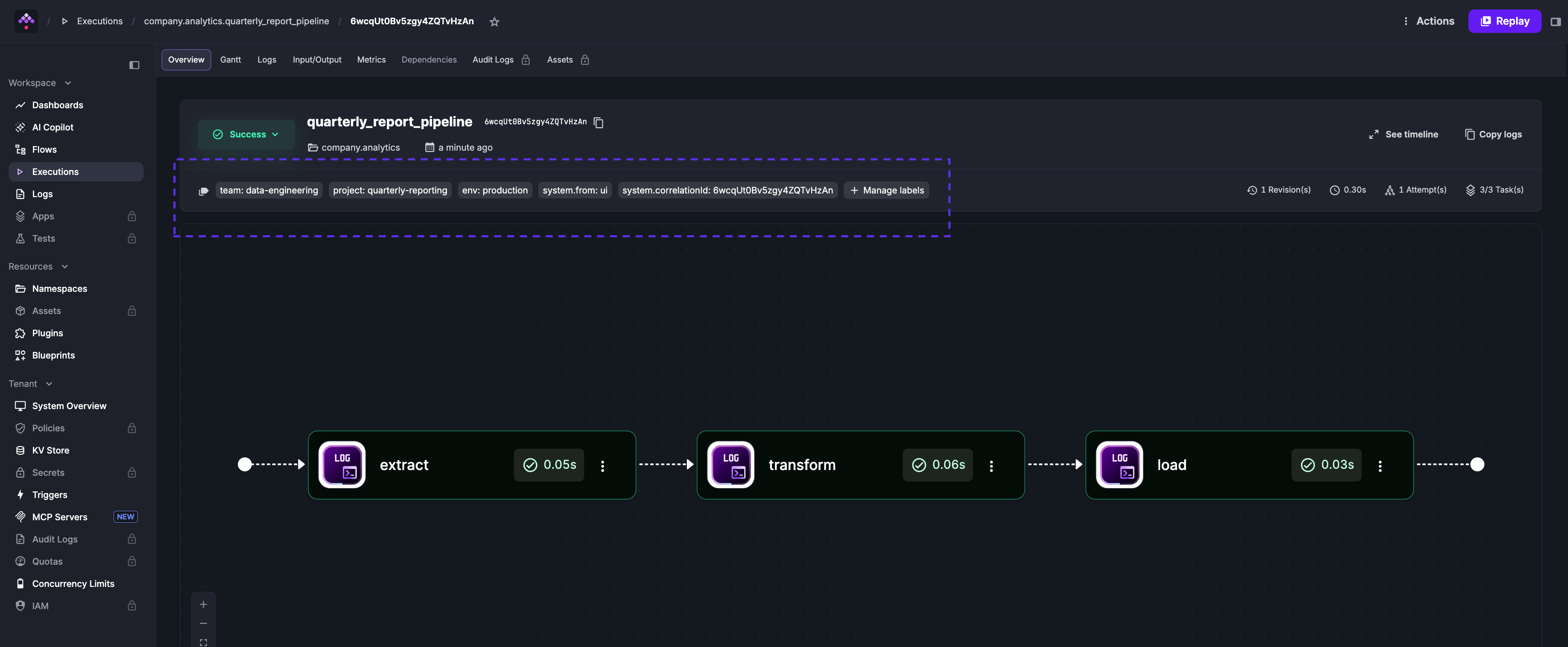
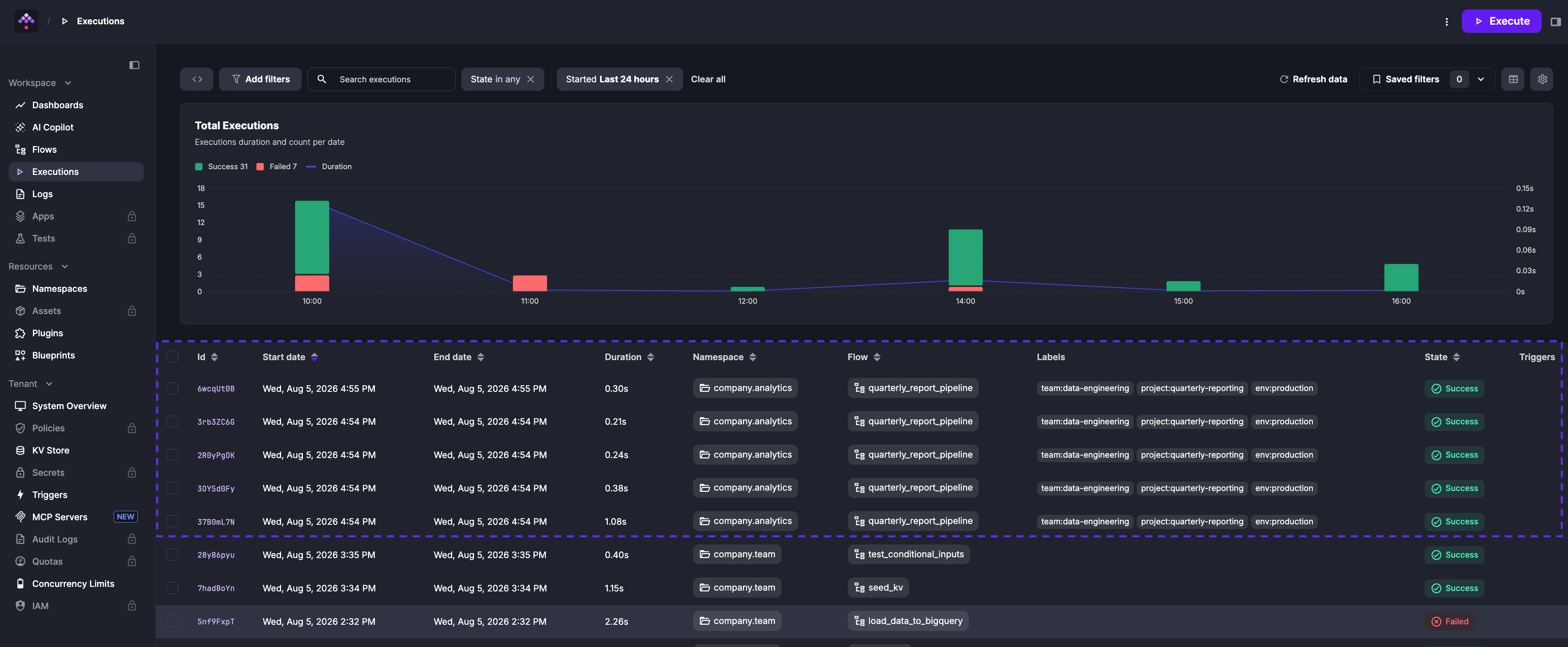
Execution labels propagated from flow labels
When you execute a flow with labels, those labels are automatically applied to its executions.
Set execution labels manually
When executing a flow manually, expand Advanced configuration to override or define labels at start:
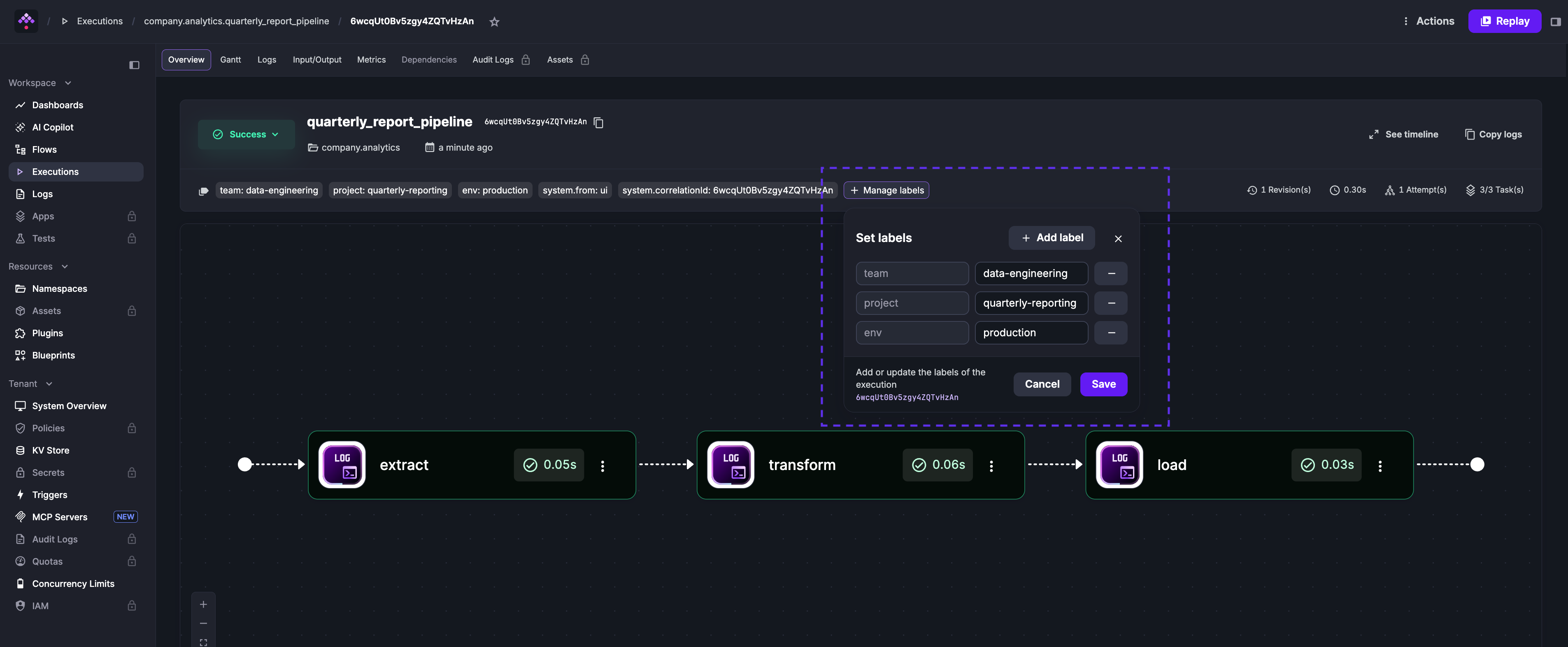
You can also set labels after an execution completes — useful for collaboration and troubleshooting.
For example, you can add a label to a failed execution to indicate its status, such as whether it has been acknowledged, is being investigated, or has been resolved.
Go to the Overview tab of an execution and click Set labels to add one or more labels.
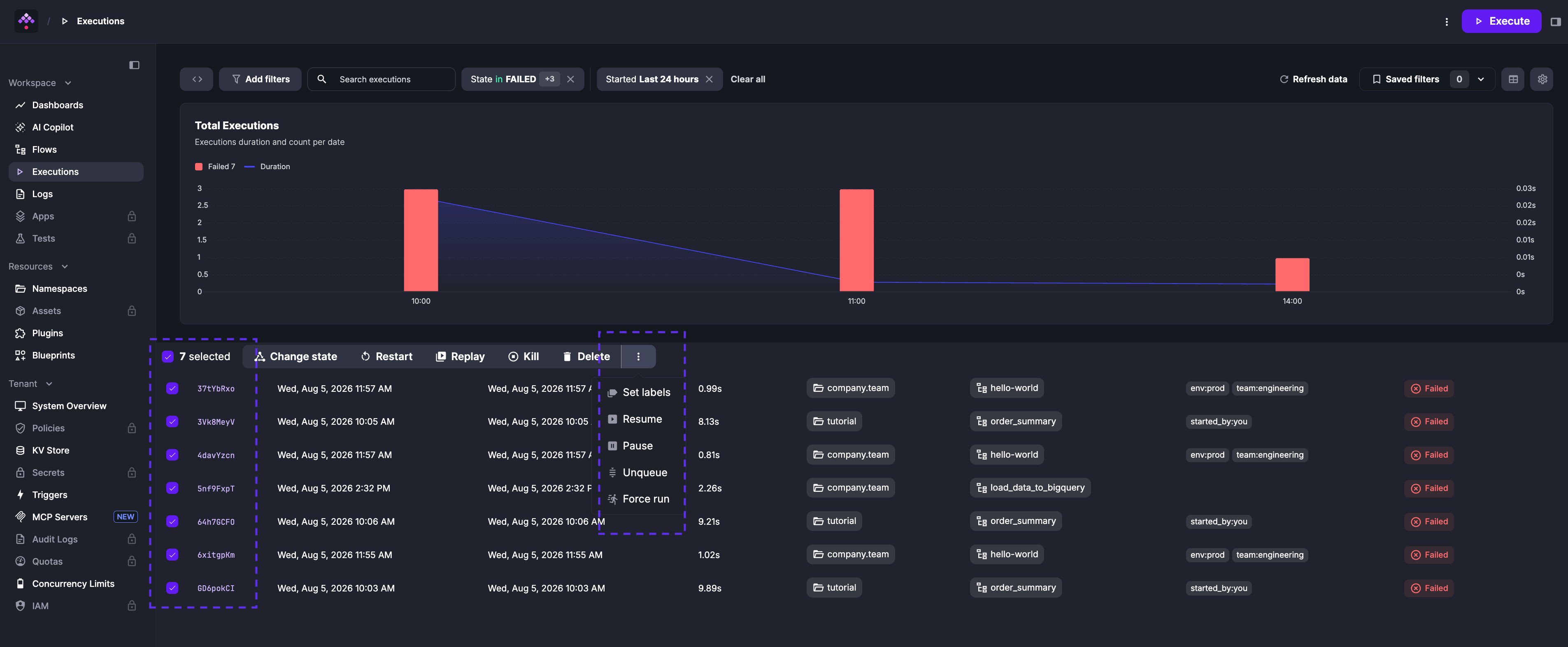
You can also set labels for multiple executions at once — useful for bulk operations such as acknowledging multiple failed executions after an outage.
Set labels based on flow inputs and task outputs
Use the Labels task to set execution labels based on flow inputs, task outputs, or other runtime data. There are two ways to set labels in this task:
- Using a map (key-value pairs): ideal when the key is static and the value is dynamic. In the example below,
update_labelsoverrides the default labelsongwith the output of thegettask and adds a new labelartist.
id: labels_overridenamespace: company.team
labels:  song: never_gonna_give_you_up
tasks:  - id: get    type: io.kestra.plugin.core.debug.Return    format: never_gonna_stop
- id: update_labels type: io.kestra.plugin.core.execution.Labels labels: song: "{{ outputs.get.value }}" artist: rick_astley # new label- Using a list of key-value pairs: use this form when both the key and value are dynamic.
id: labelsnamespace: company.team
inputs:  - id: user    type: STRING    defaults: Rick Astley
  - id: url    type: STRING    defaults: song_url
tasks:  - id: update_labels_with_map    type: io.kestra.plugin.core.execution.Labels    labels:      customerId: "{{ inputs.user }}"
  - id: get    type: io.kestra.plugin.core.debug.Return    format: https://t.ly/Vemr0
- id: update_labels_with_list type: io.kestra.plugin.core.execution.Labels labels: - key: "{{ inputs.url }}" value: "{{ outputs.get.value }}"Overriding flow labels at runtime
You can set default labels at the flow level and override them during execution based on task results.
The example below shows how to override the default label song with the output of the get task:
id: flow_with_labelsnamespace: company.team
labels:  song: never_gonna_give_you_up  artist: rick-astley  genre: pop
tasks:  - id: get    type: io.kestra.plugin.core.debug.Return    format: never_gonna_stop
  - id: update-list    type: io.kestra.plugin.core.execution.Labels    labels:      song: "{{ outputs.get.value }}"
In this example, the default label song is overridden by the output of the get task.
Dynamic labels in trigger-started executions
When a trigger starts an execution, the trigger’s labels values accept Pebble expressions. This lets you embed runtime context — such as the current date or a trigger variable — directly in labels at the moment execution begins, without needing a separate Labels task.
Using a Pebble function:
id: scheduled_flownamespace: company.team
triggers:  - id: schedule    type: io.kestra.plugin.core.trigger.Schedule    cron: "* * * * *"    labels:      year: "year-{{now(format='YYYY')}}"
tasks:  - id: hello    type: io.kestra.plugin.core.log.Log    message: Hello World!
Each execution started by this trigger carries a year label with the current year when the trigger fires.
Using a trigger variable:
id: scheduled_flownamespace: company.team
triggers:  - id: schedule    type: io.kestra.plugin.core.trigger.Schedule    cron: "* * * * *"    labels:      previous_run: "{{trigger.previous}}"
tasks:  - id: hello    type: io.kestra.plugin.core.log.Log    message: Hello World!
trigger.previous holds the date of the previous scheduled run. Labelling executions with this value helps identify late or catch-up runs.
Static values and expressions can be mixed in the same labels block. Available trigger variables differ by trigger type — see the Schedule trigger, Realtime trigger, and other trigger reference pages for the full list.
Was this page helpful?