
Manage Your Instance with the Instance Owner Console
For the complete documentation index, see llms.txt. For a full content snapshot, see llms-full.txt. Append.mdto anykestra.io/docs/*URL for plain Markdown.
The Instance Owner console provides instance-wide administration for tenants, IAM, infrastructure, and governance — separate from the tenant workspace you work in day to day.
Instance Owner operations are instance-wide. Changes to tenants, users, worker groups, and instance-level policies affect the entire Kestra instance, not just the tenant you are currently logged into.
Entering Instance Owner
In the sidebar, click Instance Owner. The entry is only visible to users with the Instance Owner privilege.
The UI switches to the Instance Owner console and shows a banner confirming you are administering the whole instance. Your regular tenant workspace is unaffected — you can return to it at any time.
The Instance Owner console
The console organizes instance-wide administration into five sections:
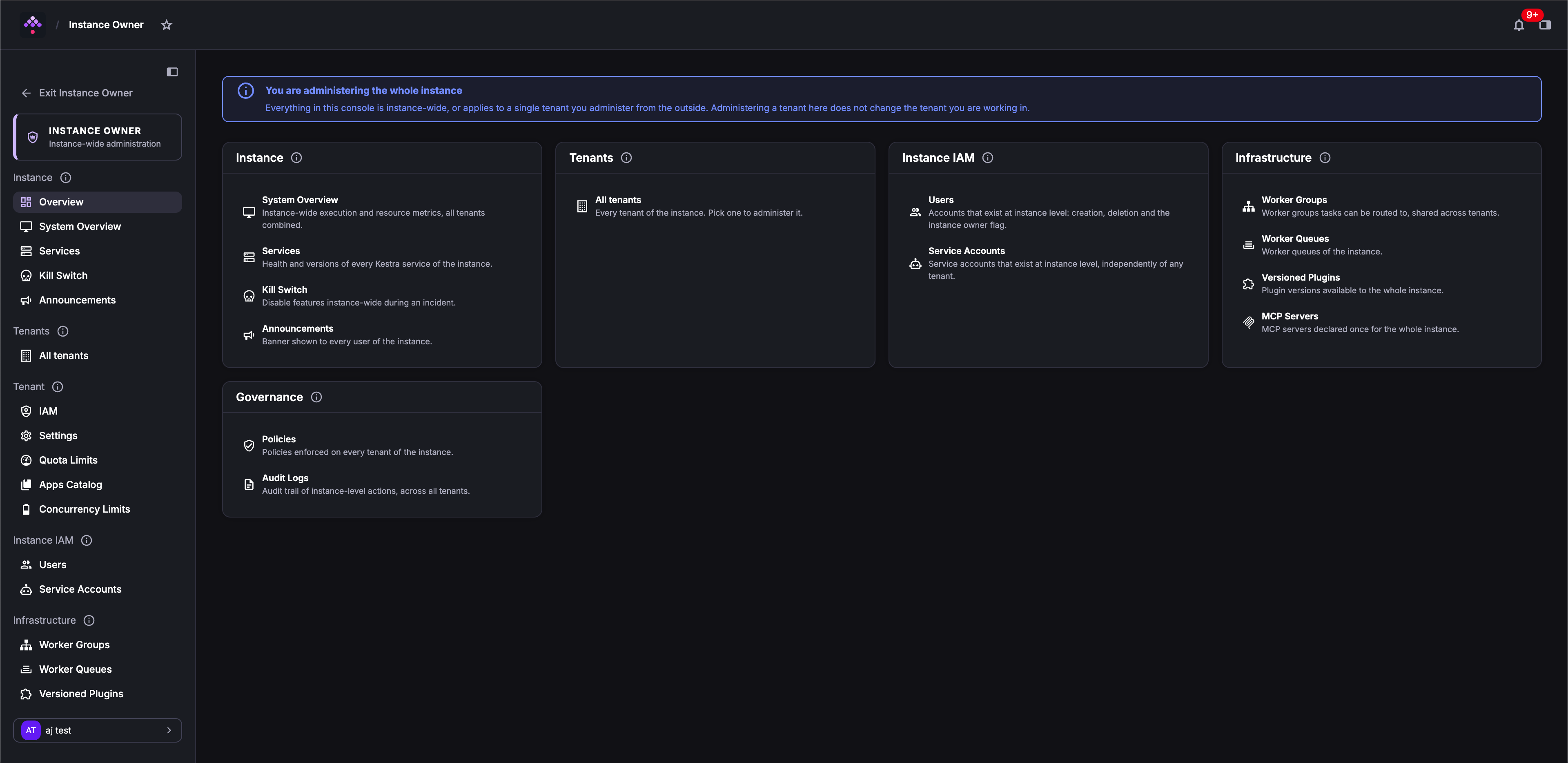
| Section | What you can manage |
|---|---|
| Instance | Overview, System Overview, Services, Kill Switch, Announcements |
| Tenants | Create, edit, and delete tenants; configure dedicated storage and secrets backends per tenant |
| Instance IAM | Users and Service Accounts that exist at the instance level, independently of any tenant |
| Infrastructure | Worker Groups, Worker Queues, Versioned Plugins, MCP Servers |
| Governance | Instance-level Policies and Audit Logs across all tenants |
Exiting Instance Owner
Click Exit Instance Owner at the top of the left sidebar to return to your tenant workspace.
Who can access Instance Owner
Only users with the Instance Owner privilege can enter the Instance Owner console.
Creating an Instance Owner user
Through the setup wizard
When you launch Kestra for the first time, the setup wizard invites you to create the first user, which is automatically assigned the Instance Owner privilege.
Through the CLI
To create a new user with the Instance Owner privilege:
kestra auths users create admin@kestra.io TopSecret42 --instance-owner
# with tenant scoping:kestra auths users create <username> <password> \--tenant=<tenant-id> --instance-owner
--superadmin is a deprecated alias for --instance-owner and still works.
Through configuration
An Instance Owner can also be defined in the configuration file:
kestra: security: instance-owner: username: <username> password: <password> tenant-admin-access: - <optional>kestra.security.super-admin is a deprecated alias for kestra.security.instance-owner and still works.
For the full list of security configuration options, see Security and Secrets configuration.
Granting and revoking Instance Owner access
You must be an Instance Owner yourself to grant or revoke the privilege.
Through the UI
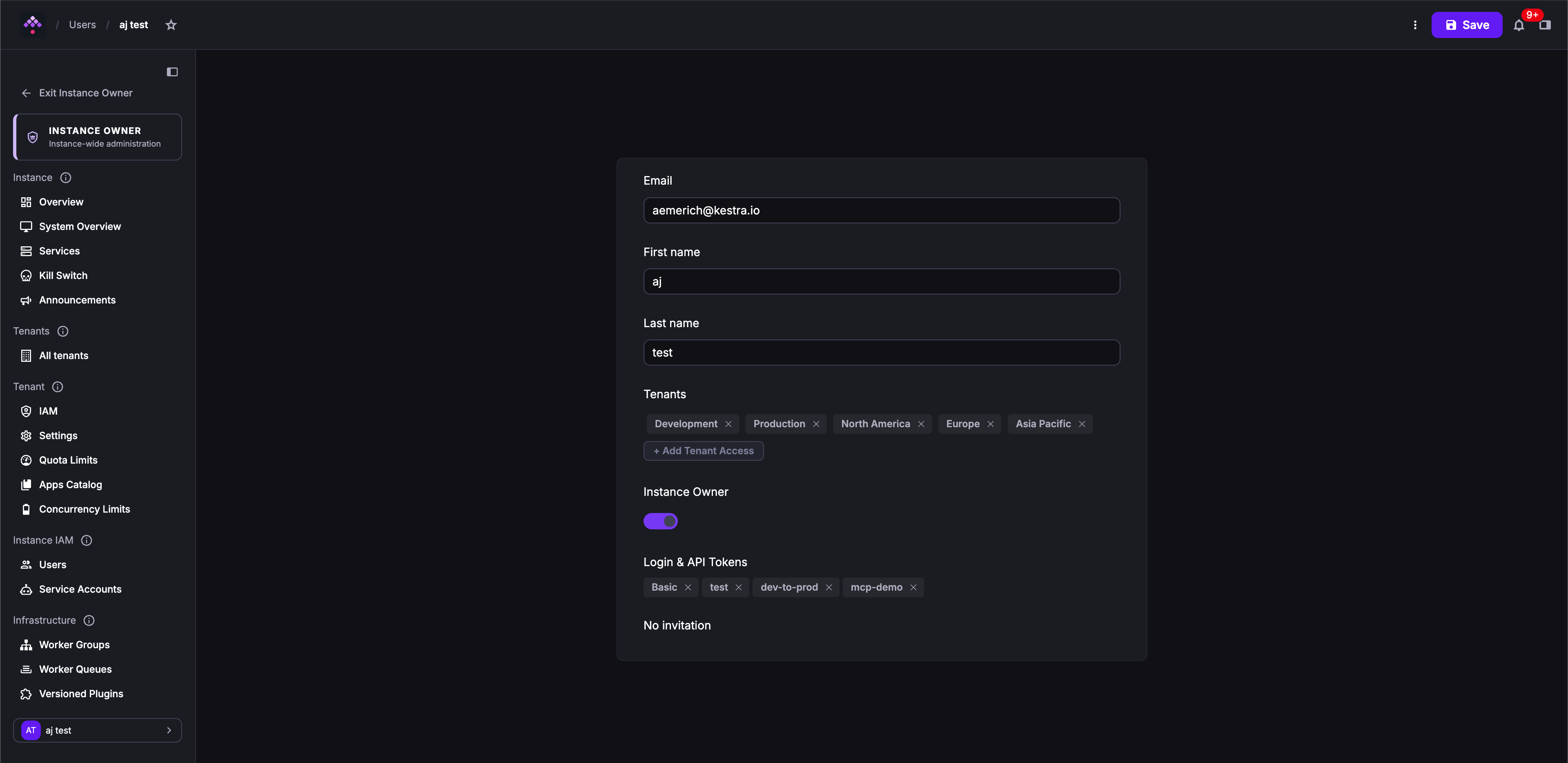
Open the user’s detail page and toggle the Instance Owner switch:
Through the CLI
kestra auths users set-instance-owner admin@kestra.io true # grantkestra auths users set-instance-owner admin@kestra.io false # revokeset-superadmin is a deprecated alias for set-instance-owner and still works.
Was this page helpful?