
Temporarily Disable Flows, Tasks, or Triggers
For the complete documentation index, see llms.txt. For a full content snapshot, see llms-full.txt. Append.mdto anykestra.io/docs/*URL for plain Markdown.
The disabled property is a boolean that skips a flow, task, or trigger without removing it — useful for debugging without deleting YAML.
Disabled flow
A disabled flow will not execute and its triggers are automatically ignored — you do not need to disable each trigger separately.
id: disabled_flownamespace: company.teamdisabled: true
tasks:  - id: hello    type: io.kestra.plugin.core.log.Log    message: Kestra team wishes you a great day! 👋
triggers:  - id: fail_every_minute    type: io.kestra.plugin.core.trigger.Schedule    cron: "*/1 * * * *"
The Execute dialog warns that the flow is disabled and no executions are created:

When executing a disabled flow from a subflow:
id: parent_runs_disabled_flownamespace: company.teamtasks: - id: disabled_subflow type: io.kestra.plugin.core.flow.Subflow flowId: disabled_flow namespace: company.teamThe parent flow immediately fails with the error: Cannot execute a flow which is disabled.
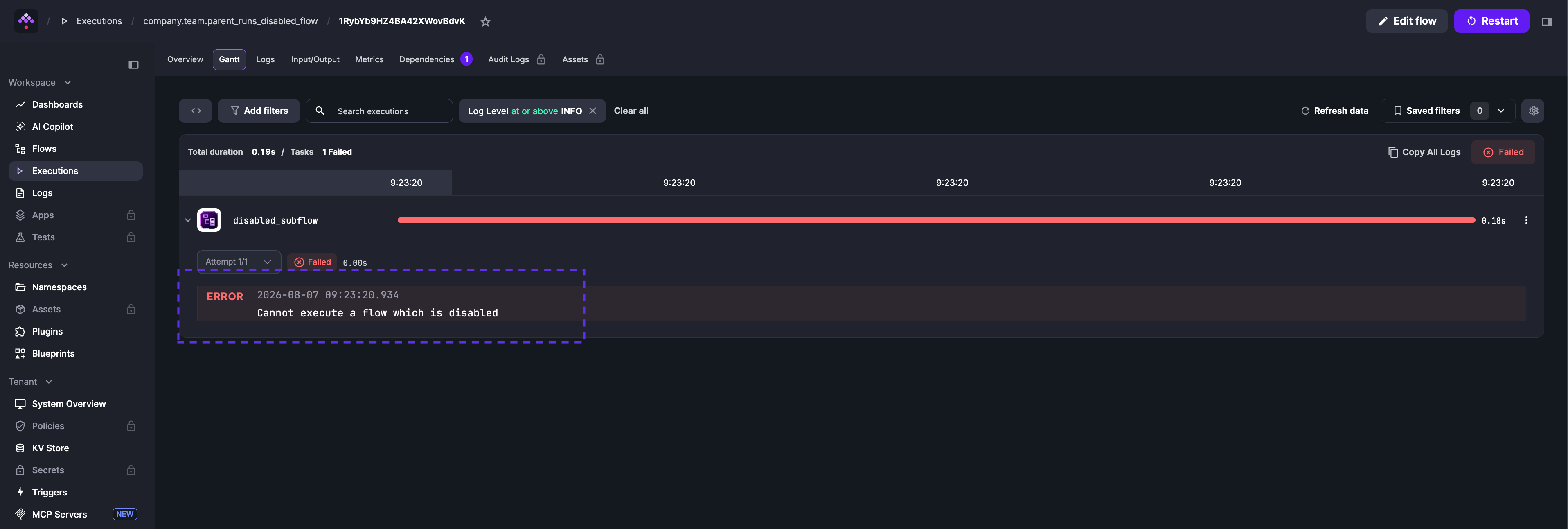
The same error occurs when triggering via API — the execution is created then immediately marked as failed:
curl -X POST http://localhost:8080/api/v1/main/executions/trigger/company.team/parent_runs_disabled_flowDisabled trigger
To disable a trigger without disabling the entire flow, set disabled: true on the trigger:
id: myflownamespace: company.team
tasks:  - id: hello    type: io.kestra.plugin.core.log.Log    message: hello from a scheduled flow
triggers:  - id: daily    type: io.kestra.plugin.core.trigger.Schedule    cron: "0 9 * * *"    disabled: true
No scheduled executions are created while the trigger is disabled. To re-enable it, set disabled: false or remove the property entirely.
Disabled task
You can disable a single task to skip it without deleting it — useful when isolating a failure during debugging:
id: myflownamespace: company.team
tasks:  - id: enabled    type: io.kestra.plugin.core.log.Log    message: this task will run
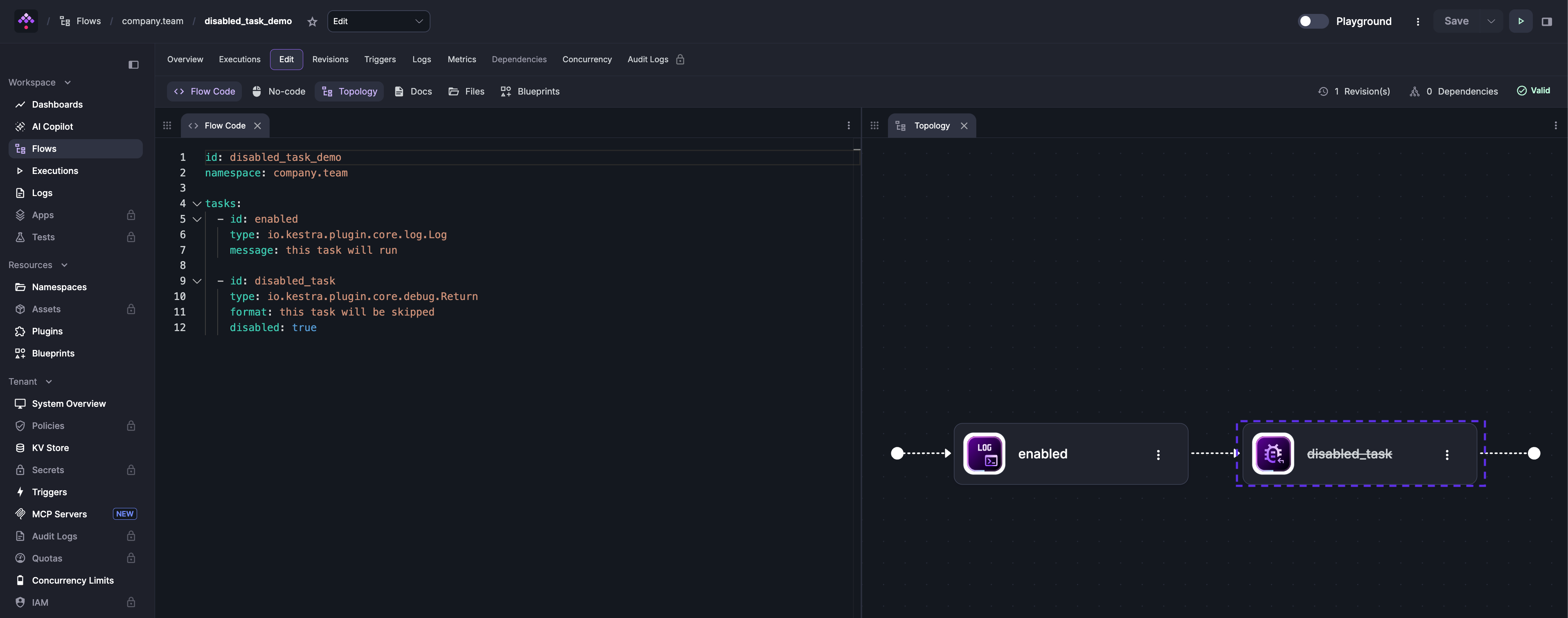
  - id: disabled    type: io.kestra.plugin.core.debug.Return    format: this task will be skipped    disabled: true
Disabled tasks appear with a strikethrough on the task name in the Topology view:
Was this page helpful?