
Re-run Any Workflow Execution from a Chosen Task
For the complete documentation index, see llms.txt. For a full content snapshot, see llms-full.txt. Append.mdto anykestra.io/docs/*URL for plain Markdown.
Replay re-runs a workflow execution from any chosen task — skipping tasks that already completed successfully. Use it to recover from failures without reprocessing upstream work, or to iterate on a specific task without re-running the full flow.
To replay from a specific task, open the Gantt or Logs tab of any execution and use the three-dot menu on the task run. You can also replay a single execution or bulk-replay from the Executions page, with the option to use the latest flow revision.
Example: fixing a failed task and replaying
Consider a flow that downloads a file and then validates its schema:
id: replay_demonamespace: company.team
tasks:  - id: download    type: io.kestra.plugin.core.http.Download    uri: https://huggingface.co/datasets/kestra/datasets/raw/main/csv/orders.csv
  - id: validate    type: io.kestra.plugin.core.execution.Assert    errorMessage: "Schema validation failed — unexpected number of columns"    conditions:      - "{{ 8 >= 5 }}"
  - id: notify    type: io.kestra.plugin.core.log.Log    message: Validation passed, data is ready for processing.
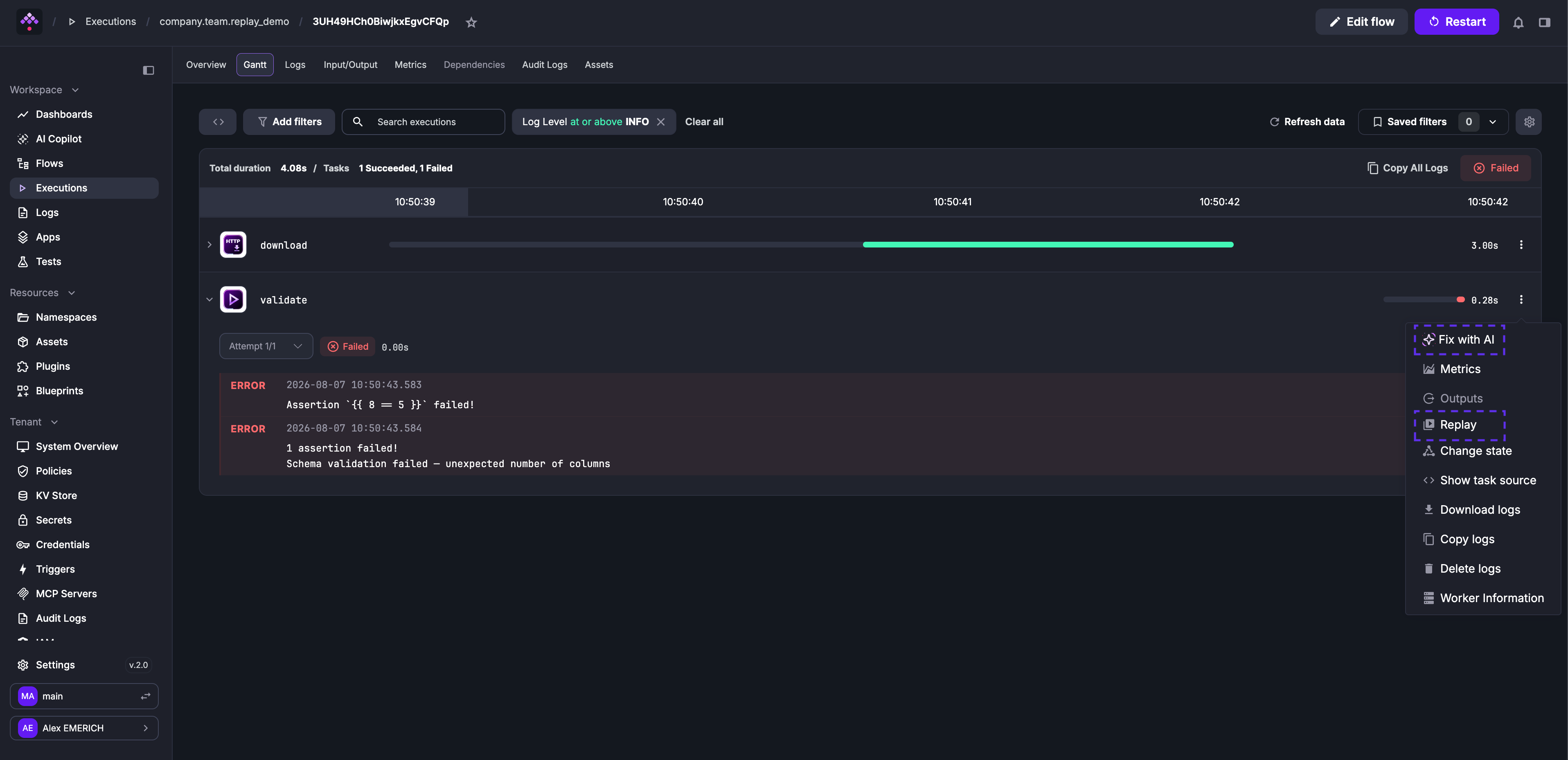
Run the flow once with 8 == 5 as the condition — download succeeds, then validate fails because the assertion is always false.
Open the failed execution and go to the Gantt tab. Use the three-dot menu on validate to select Fix with AI or correct the condition yourself — change 8 == 5 to 8 >= 5 and save as a new revision. Then select Replay from the same menu.
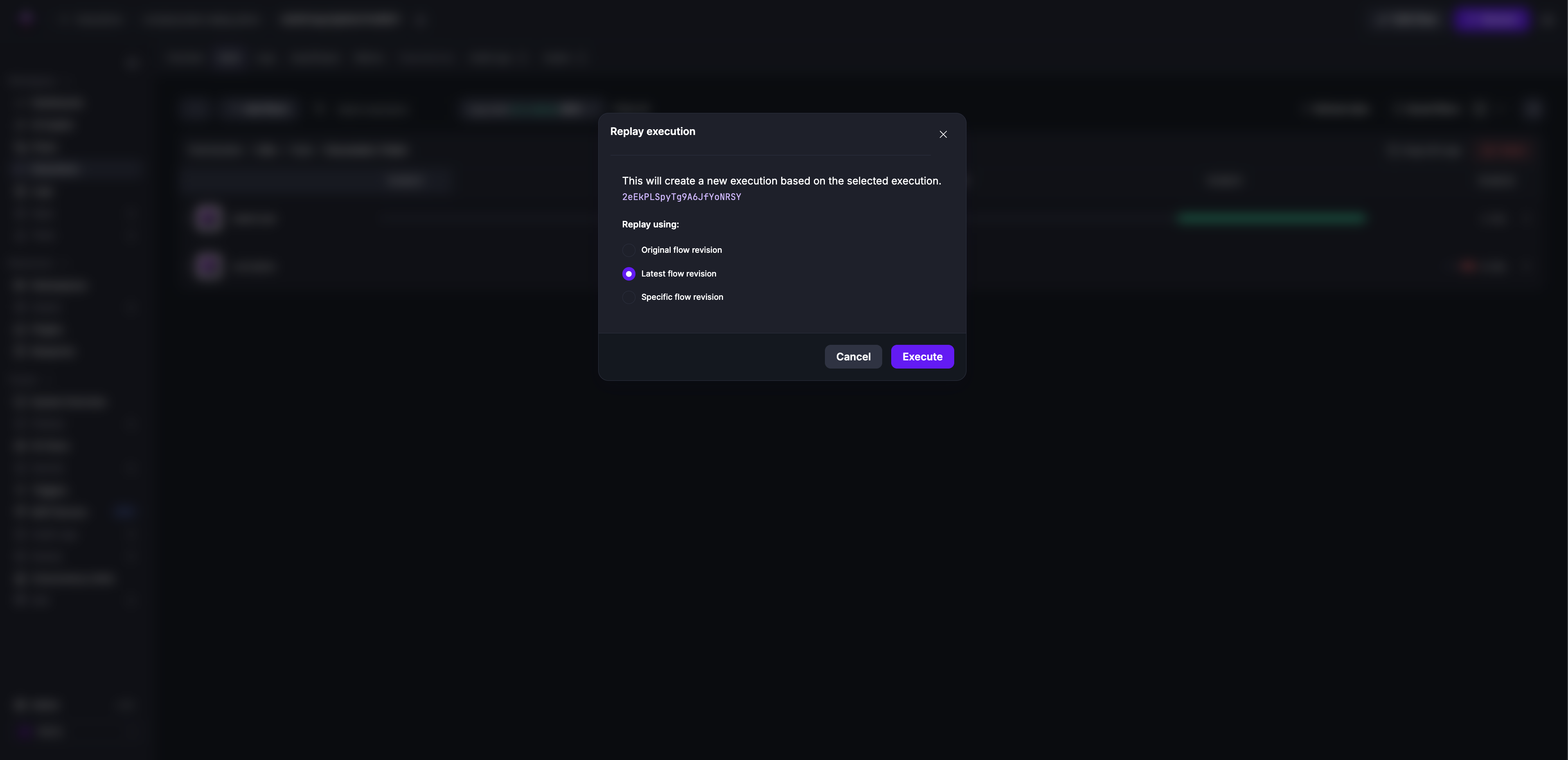
In the confirmation dialog, select Latest flow revision to use the revision containing your fix.
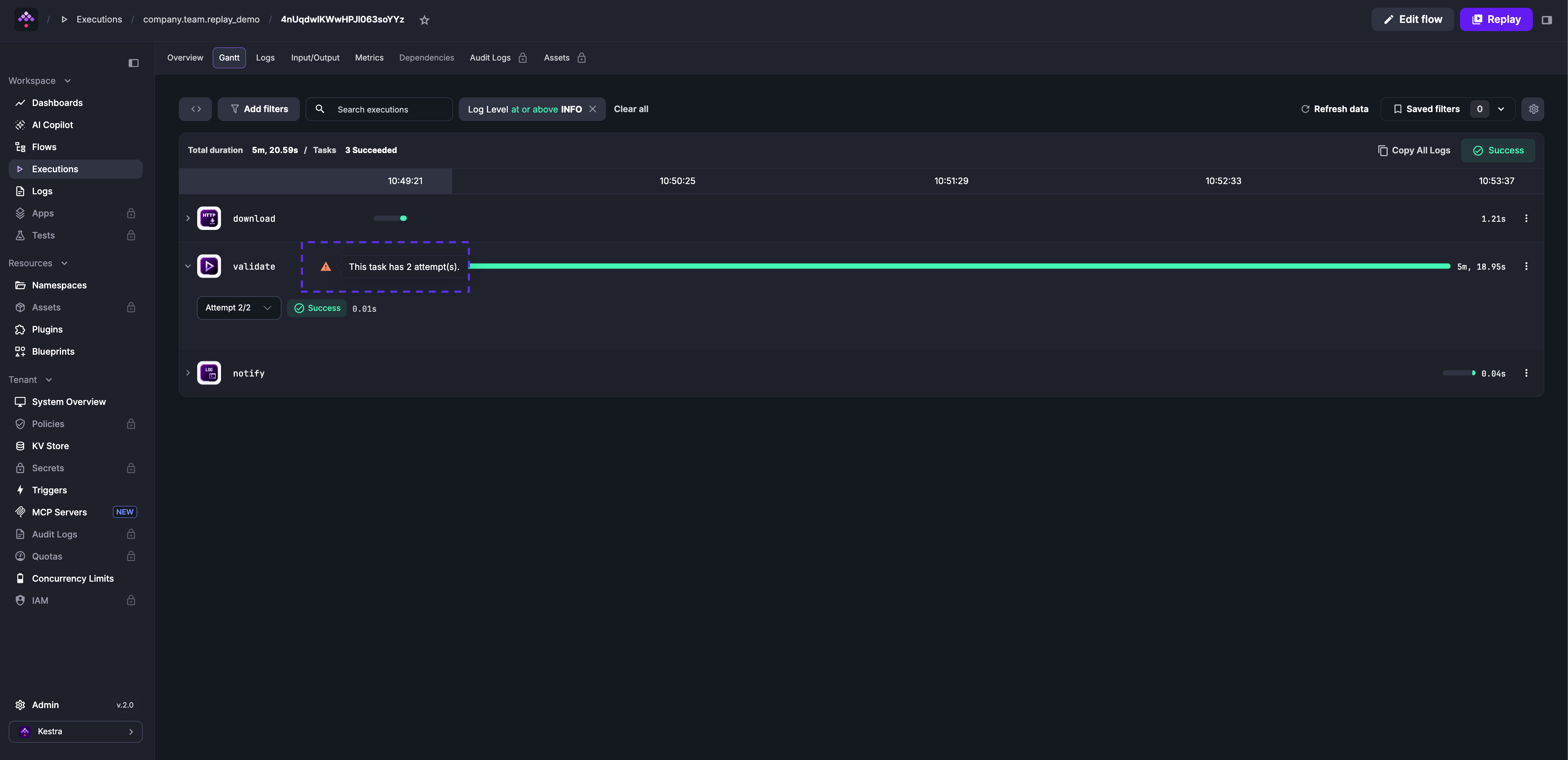
The download task is skipped — Kestra reuses its output from the original execution. Only validate and notify run again. The Attempt 2/2 label on validate confirms this is the replayed run.
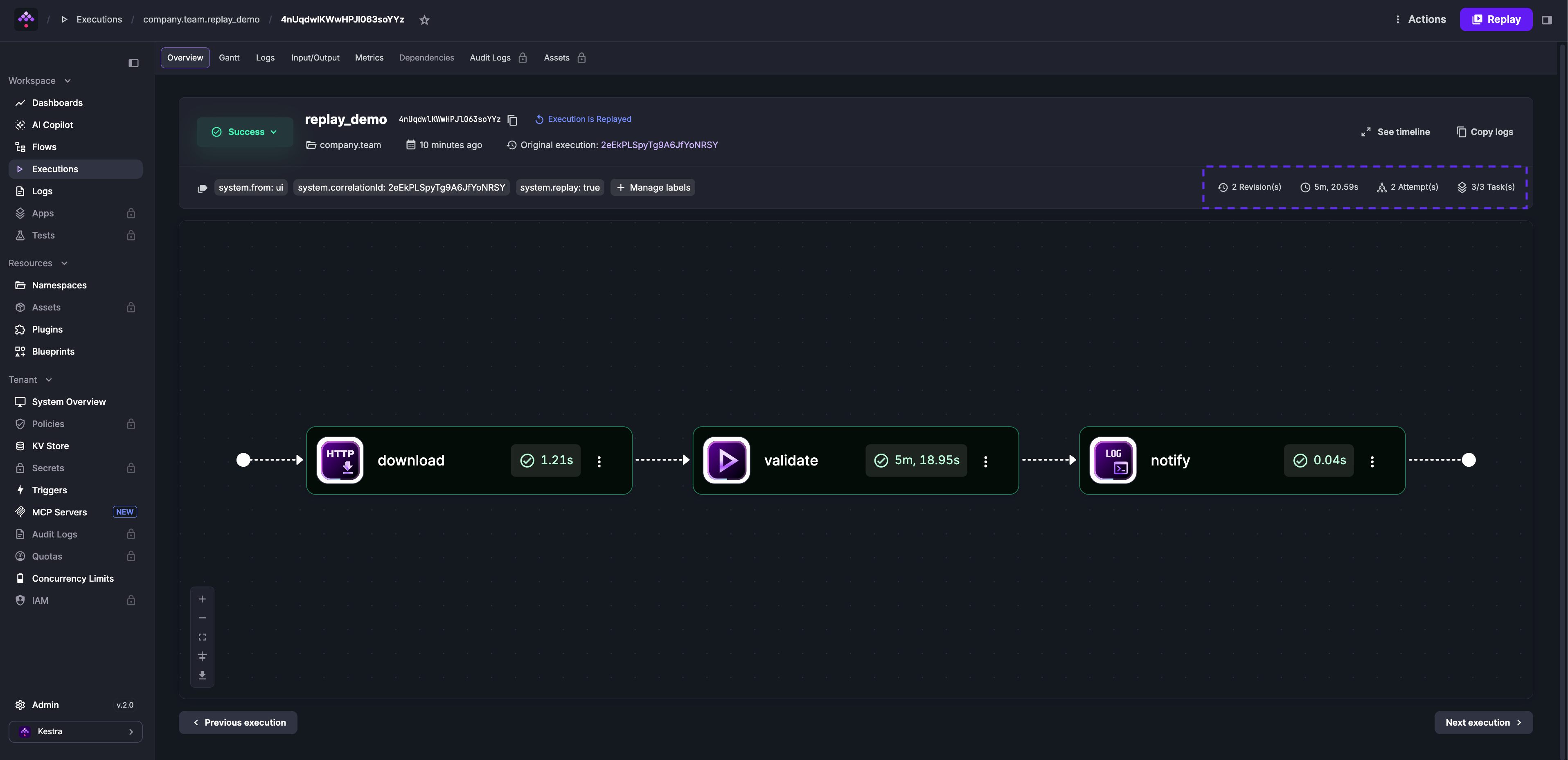
The Overview tab shows the attempt number, the revision used, a system.replay: true label marking this as a replay, and a system.correlationId label linking back to the original execution.
Was this page helpful?