
How System and Hidden Labels Work for Admin Metadata
For the complete documentation index, see llms.txt. For a full content snapshot, see llms-full.txt. Append.mdto anykestra.io/docs/*URL for plain Markdown.
System Labels and Hidden Labels are reserved metadata labels used to manage and monitor Kestra. They are hidden in the UI by default. To find executions tagged with a specific hidden label, use the Labels filter with the key and value explicitly — for example, system.correlationId: o8014I6GBOxqcQg8guKRP.
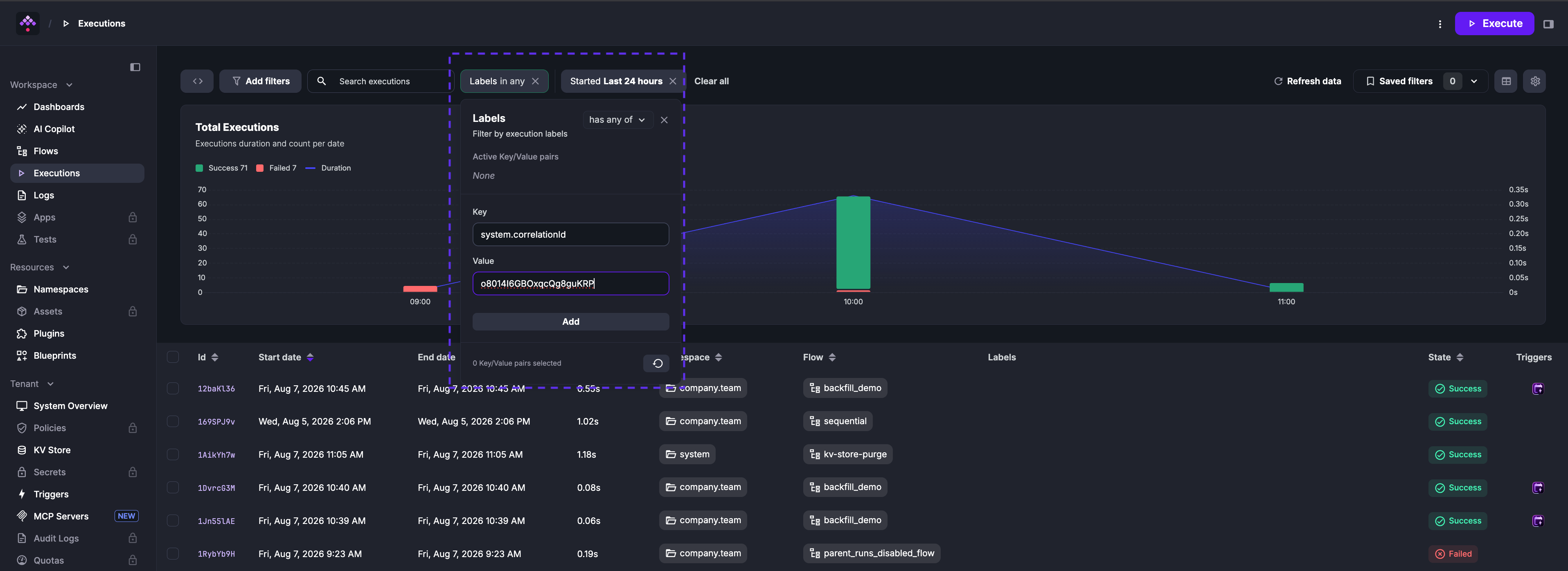
After applying the filter, the executions table shows only the matching execution.
Hidden labels
Hidden Labels are labels excluded from the UI by default. You can configure which prefixes should be hidden via the kestra.hidden-labels.prefixes configuration. For example, to hide labels starting with admin., internal., and system., you can use the following configuration in your application.yaml:
kestra: hidden-labels: prefixes: - system. - internal. - admin.By default, System Labels (prefixed with system.) are hidden. To display them, remove system. from the list of hidden prefixes.
System labels
System Labels are labels prefixed with system. that serve specific purposes. The labels below are set automatically by Kestra. For a step-by-step guide on using system.correlationId as an idempotency key, see Idempotency with correlation IDs.
system.correlationId
- Automatically set for every execution and propagated to downstream executions created by
SubfloworLooptasks - Represents the ID of the first execution in a chain of executions, enabling tracking of execution lineage
- Can also be set to a stable business key and used as an idempotency key for flows that must not process the same event twice
- Use this label to filter all executions originating from a specific parent execution or business event.
For example, if a parent flow triggers multiple subflows, filtering by the parent’s system.correlationId displays all related executions.
The Execution API supports setting this label at execution creation but not modification.
system.username
- Automatically set for every execution and contains the username of the user who triggered the execution
- Useful for auditing and identifying who initiated specific executions
system.readOnly
- Used to mark a flow as read-only, disabling the flow editor in the UI
- Helps prevent modifications to critical workflows, such as production flows managed through CI/CD pipelines
Example:
id: read_only_flownamespace: company.team
labels:  system.readOnly: true
tasks:  - id: log    type: io.kestra.plugin.core.log.Log    message: Hello from a read-only flow!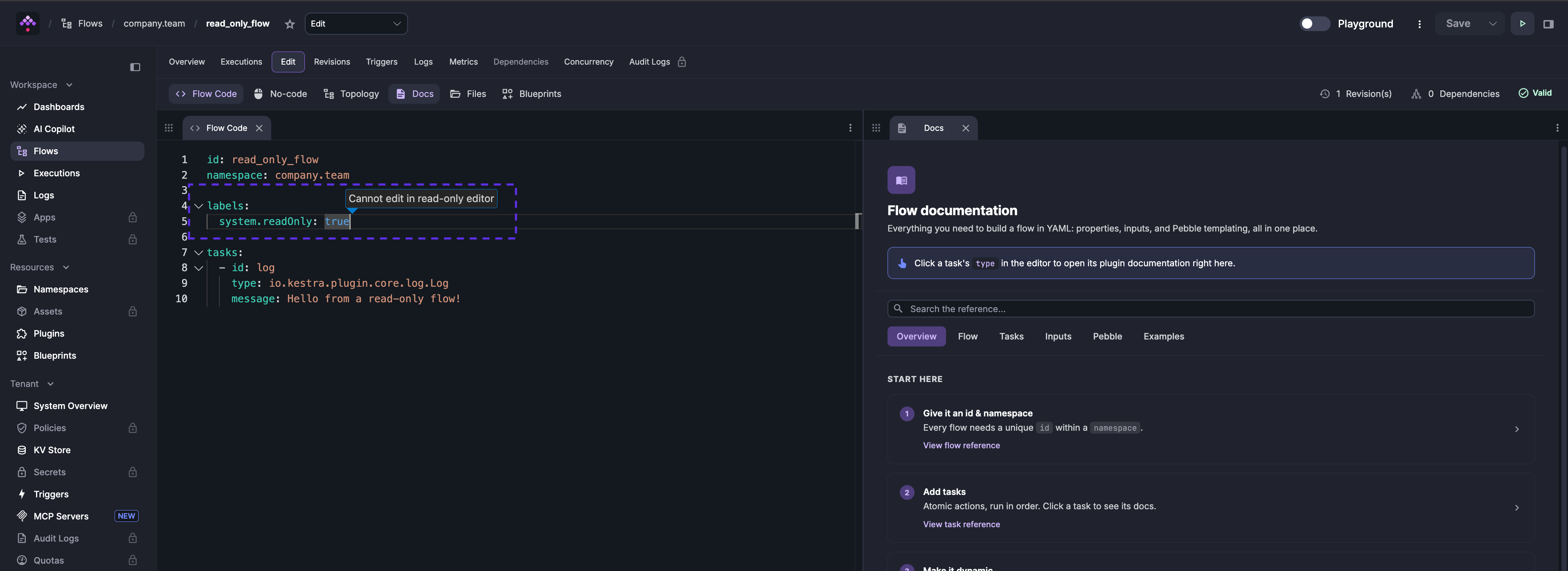
In the Enterprise Edition, updating a read-only flow server-side is restricted to service accounts or API keys.
system.from
- Automatically set on every execution to indicate how it was triggered
- Common values include
ui(triggered from the Kestra UI) andmcp(triggered by a Kestra MCP server) - Use this label to filter executions by their trigger source
system.mcpServerId
- Automatically set on every execution created by a Kestra MCP server
- Value is the
idof the MCP server that invoked the tool - Use this label together with
system.from: mcpto identify which server triggered a specific execution
system.mcpSessionId
- Automatically set on every execution created by a Kestra MCP server
- Value is the session ID of the MCP client connection that triggered the execution
- Use this label to correlate multiple executions that originated from the same agent session
Was this page helpful?