
Version and Roll Back Your Flows with Revisions
For the complete documentation index, see llms.txt. For a full content snapshot, see llms-full.txt. Append.mdto anykestra.io/docs/*URL for plain Markdown.
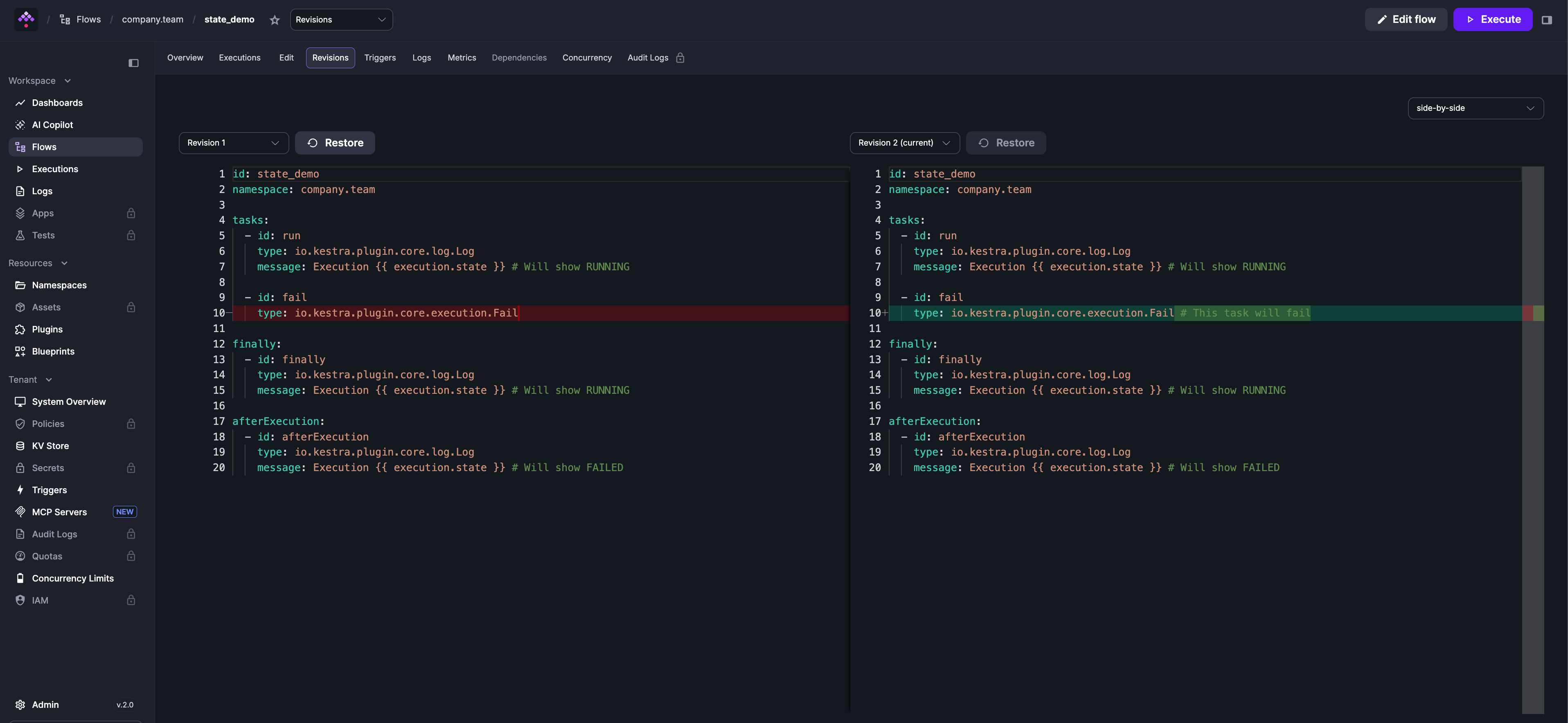
Every time you save a flow, Kestra creates a new revision. The Revisions tab lists all revisions for a flow — compare any two side-by-side or line-by-line, and roll back to a previous version at any time.
Draft revisions
When you click Save as draft in the flow editor, Kestra saves your changes as a draft revision rather than publishing them immediately.
Executions do not run against a draft revision. If the latest revision of a flow is a draft, any execution — whether triggered manually, by a schedule, or by an event — will run against the last published revision instead. A warning banner in the run panel makes this explicit.
To make your latest changes active, open the run panel — it displays a draft warning banner with a Publish button that promotes the draft to a published revision.
Use Save as draft when you want to stage changes without affecting running executions — for example, while iterating on a flow that is already in production.
On Kestra Enterprise, you can promote a published revision to another environment (staging, production) directly from the flow’s Deploy tab, without copy-pasting YAML or setting up a CI/CD pipeline. See Promote flows across environments.
Was this page helpful?