
Trigger, Monitor, and Troubleshoot Flow Executions
For the complete documentation index, see llms.txt. For a full content snapshot, see llms-full.txt. Append.mdto anykestra.io/docs/*URL for plain Markdown.
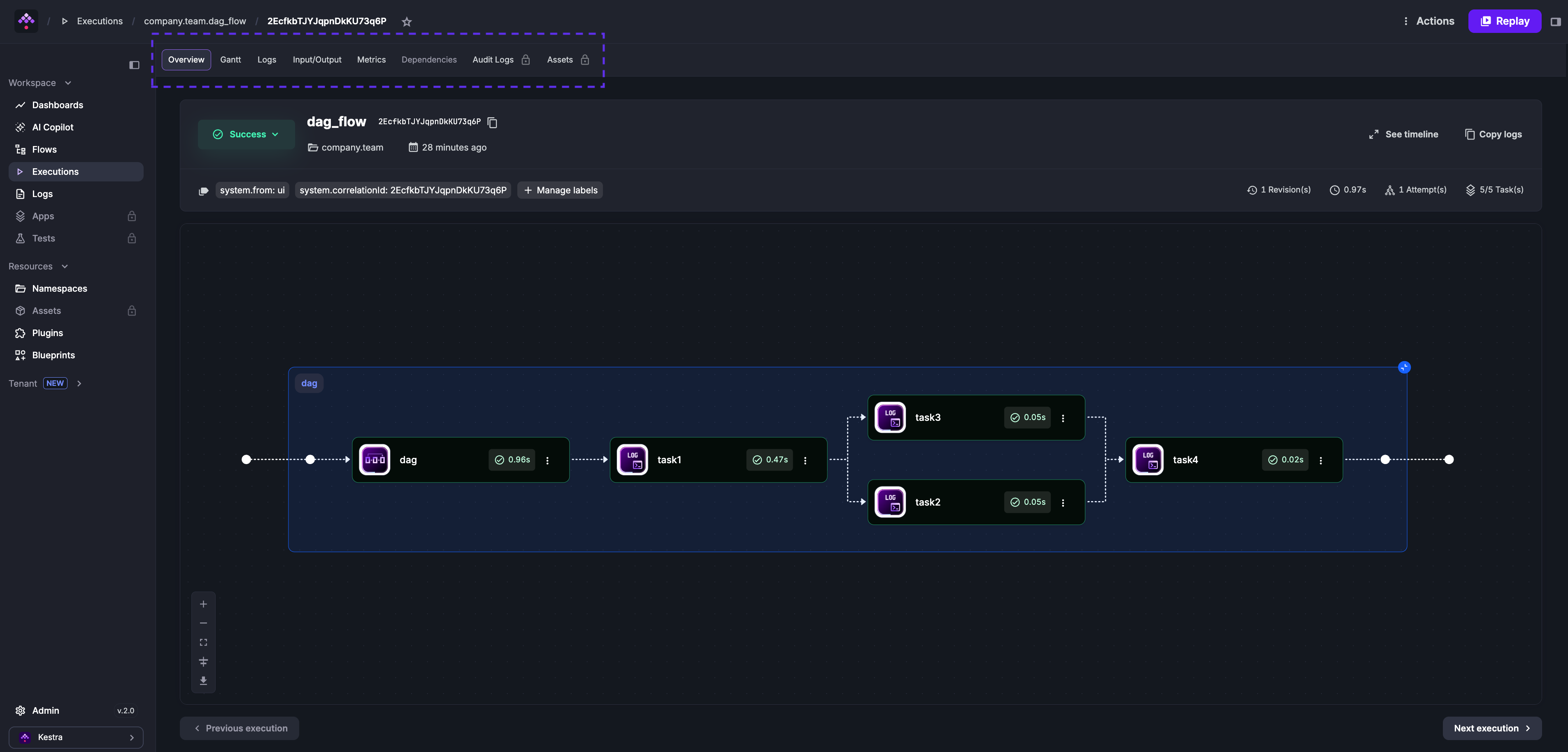
An execution is a single run of a flow with a specific state.
Each execution contains one or more task runs — one per task in the flow. Task runs support retries: if retries are configured, a failure generates new attempts until the maxAttempts or maxDuration threshold is reached.
Outputs
Each task can produce output data — variables or files stored in Kestra’s internal storage — that downstream tasks in the same execution can reference. View outputs in the Outputs tab of the execution page. See the Outputs page for details.
Metrics
Tasks can expose metrics such as file size, row count, or query duration. View them in the Metrics tab of the execution page, or on the task’s plugin documentation page.
id: load_data_to_bigquerynamespace: company.team
tasks:  - id: http_download    type: io.kestra.plugin.core.http.Download    uri: https://huggingface.co/datasets/kestra/datasets/raw/main/csv/orders.csv
  - id: load_bigquery    type: io.kestra.plugin.gcp.bigquery.Load    autodetect: true    csvOptions:      fieldDelimiter: ","    destinationTable: kestra-dev.demo.orders    format: CSV    from: "{{ outputs.http_download.uri }}"
States
Executions and task runs move through the following states:
| State | Description |
|---|---|
CREATED | Waiting to be processed — queued but not yet started. |
RUNNING | Currently being processed. |
PAUSED | Paused for manual validation or a configured delay. |
SUCCESS | Completed successfully. |
WARNING | Completed with warnings — execution continued but was flagged. |
FAILED | Encountered errors that caused the execution to fail. |
KILLING | Kill command issued; system is terminating associated tasks. |
KILLED | Killed on request — no further tasks will run. |
RESTARTED | Transitional state equivalent to CREATED for a restarted failed execution. |
CANCELLED | Aborted due to a concurrency limit or SLA with CANCEL behavior. |
QUEUED | On hold due to a concurrency limit with QUEUE behavior. |
RETRYING | Currently being retried. |
RETRIED | Stopped and created a new execution as defined by a flow-level retry policy with CREATE_NEW_EXECUTION behavior. |
For a detailed overview of state transitions, see the States page.
Execution expressions
| Parameter | Description |
|---|---|
{{ execution.id }} | Unique identifier generated for each execution. |
{{ execution.startDate }} | Start date of the current execution; can be formatted with {{ execution.startDate | date("yyyy-MM-dd HH:mm:ss.SSSSSS") }}. |
{{ execution.originalId }} | The original execution ID — never changes across replays. |
Execute from the UI
Click Execute on the flow page to trigger a run manually.
Use automatic triggers
Add a Schedule trigger to launch executions on a time interval, or a Flow trigger to launch an execution when another flow completes — useful for namespace-level error handling or event-driven patterns where flows are decoupled rather than explicitly calling each other as subflows.
Use a Webhook trigger to launch an execution from an external HTTP request. Access the request body with {{ trigger.body }} and headers with {{ trigger.headers }}. See the Webhooks how-to guide for setup and real-world examples.
http://<kestra-host>:<kestra-port>/api/v1/main/executions/webhook/<namespace>/<flow-id>/<webhook-key>Execute via API
Trigger an execution by calling the API directly. Given this flow:
id: hello_worldnamespace: company.team
inputs:  - id: greeting    type: STRING    defaults: hey
tasks:  - id: hello    type: io.kestra.plugin.core.log.Log    message: "{{ inputs.greeting }}"
Trigger it with curl:
curl -X POST http://localhost:8080/api/v1/main/executions/company.team/hello_worldExecute a specific revision
curl -X POST http://localhost:8080/api/v1/main/executions/company.team/hello_world?revision=2Execute with inputs
Pass inputs as form data:
curl -X POST http://localhost:8080/api/v1/main/executions/company.team/hello_world \-F greeting="hey there"For multiple input types:
curl -v "http://localhost:8080/api/v1/main/executions/company.team/kestra-inputs" \ -H "Transfer-Encoding:chunked" \ -H "Content-Type:multipart/form-data" \ -F string="a string" \ -F int=1 \ -F float=1.255 \ -F boolean=true \ -F instant="2023-12-24T23:00:00.000Z" \ -F "files=@/tmp/128M.txt;filename=file"Execute with FILE inputs
Pass files as multipart form data named files, with a filename header matching the input ID:
id: large_json_payloadnamespace: company.team
inputs:  - id: myCustomFileInput    type: FILE
tasks:  - id: hello    type: io.kestra.plugin.scripts.shell.Commands    inputFiles:      myfile.json: "{{ inputs.myCustomFileInput }}"    taskRunner:      type: io.kestra.plugin.core.runner.Process    commands:      - cat myfile.json
curl -X POST -F "files=@./myfile.json;filename=myCustomFileInput" \ 'http://localhost:8080/api/v1/main/executions/company.team/large_json_payload'Prefer FILE-type inputs for large payloads. Files are stored in internal storage (S3, GCS, Azure Blob), whereas JSON-type inputs or raw webhook bodies are stored directly in the database.
Get a URL to follow execution progress
The executions endpoint returns a url field in its response, which links directly to the execution in the UI:
curl -X POST http://localhost:8080/api/v1/main/executions/company.team/myflow{ "id": "1ZiZQWCHj7bf9XLtgvAxyi", "url": "http://localhost:8080/ui/executions/company.team/myflow/1ZiZQWCHj7bf9XLtgvAxyi"}To receive a full URL rather than a path suffix, configure your instance URL in Runtime and Storage configuration:
kestra: url: http://localhost:8080Execute via API in Python
import requestsfrom requests_toolbelt.multipart.encoder import MultipartEncoder
with open("/tmp/128M.txt", 'rb') as fh:  url = "http://kestra:8080/api/v1/main/executions/company.team/hello_world"  mp_encoder = MultipartEncoder(fields={    "string": "a string",    "int": 1,    "float": 1.255,    "datetime": "2025-04-20T13:00:00.000Z",    "files": ("file", fh, "text/plain")  })  result = requests.post(      url,      data=mp_encoder,      headers={"Content-Type": mp_encoder.content_type},  )
Webhook vs. API call
- Use the webhook trigger when you want to pass arbitrary metadata from an external event (GitHub PR merged, new SaaS record, etc.) to the flow via
{{ trigger.body }}and{{ trigger.headers }}. - Use an API call when you only need to pass typed inputs and don’t need an arbitrary payload.
Execute via kestractl
# Run a flow and wait for completionkestractl executions run prod nightly-refresh --wait
# Run a flow and get the result as JSONkestractl executions run prod nightly-refresh --wait --output json
See kestractl for the full command reference.
Execute from Python
Use the kestra pip package to trigger executions without crafting HTTP requests manually:
pip install kestrafrom kestra import Flowflow = Flow()flow.execute('company.team', 'hello_world', {'greeting': 'hello from Python'})To pass a FILE input:
import osfrom kestra import Flow
os.environ["KESTRA_HOSTNAME"] = "http://host.docker.internal:8080"
flow = Flow()with open('example.txt', 'rb') as fh:    flow.execute('company.team', 'myflow', {'files': ('myfile', fh, 'text/plain')})
files takes a tuple: ('input_id', file_object, 'content_type').
Was this page helpful?